Field notes / Personal devices
What I keep charged with four Explorer 100Ds
Phones, tablets, and the battery packs that keep us warm all need a turn on a charger. This is the job I give my smallest stations.
By Tony Davis · Pacific Northwest
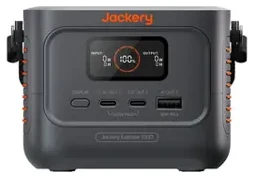
When my phone needs a charge, I’d rather bring a 100D to the couch than take my phone to the station running the office. I have four Explorer 100Ds, so one can stay beside a tablet while another tops up the removable pack for a heated vest. My two Explorer 300Ds help with the same small-device jobs.
How the charge reaches my vest and blankets
The vest runs on its own battery. When that pack runs low, I use its USB charging cable with a 100D. My two heated blankets each have a 10,000 mAh pack. I keep both charged, so I can take a warm blanket to the couch. When its pack needs a top-up, either an Explorer 100D or an Explorer 300D can recharge it.
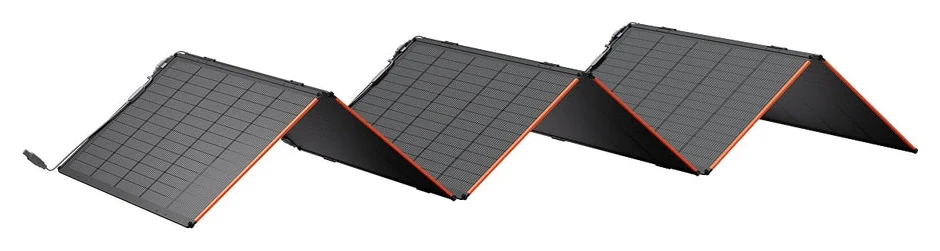 Collect sunlightA compatible panel puts energy back into a larger station when the weather allows.
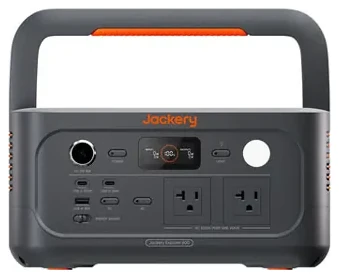 Top up the 100DI use USB-C from my Explorer 600 v2 or HomePower 1000 Plus v2 to the 100D’s C1 input.
- Take it to the deviceThe charged 100D comes back to the room for the next phone, tablet, or heated-gear pack.
The larger station still supplies the refill, and each transfer uses some energy. What I gain is the freedom to leave the big station on its main job and carry the little one to whoever needs it.
One cable or two?
Either USB-C port can deliver up to 140 W when used on its own with a compatible device and cable. With both USB-C ports charging devices at once, the maximum is 70 W per port. A phone or vest pack draws only the power it supports. I use the C1 port when it’s the 100D itself that needs a refill.
See the Explorer 100D in my catalog · 100D manual and port ratings
All field notes